Security dispatch softwarePUT THE RIGHT RESPONSE IN MOTION.
Guardix dispatch turns a call or report into a numbered ticket tied to a client and post site, then follows it until it is solved. Dispatchers log tickets on the Dispatcher page in the web app, assigned officers work them from the phone, and Atlas, the dispatch agent, can draft a ticket from a call note for approval.
Each dispatch ticket keeps the caller, the incident, the people involved and every comment in one record, from New Dispatch to Solved.
Call and incident context
New Dispatch records the client, post site, caller type, who reported it, priority, incident type, date and time, details, action taken, notes and attachments. Each ticket gets an ID number you can search for or share as a link.
Officer and location visibility
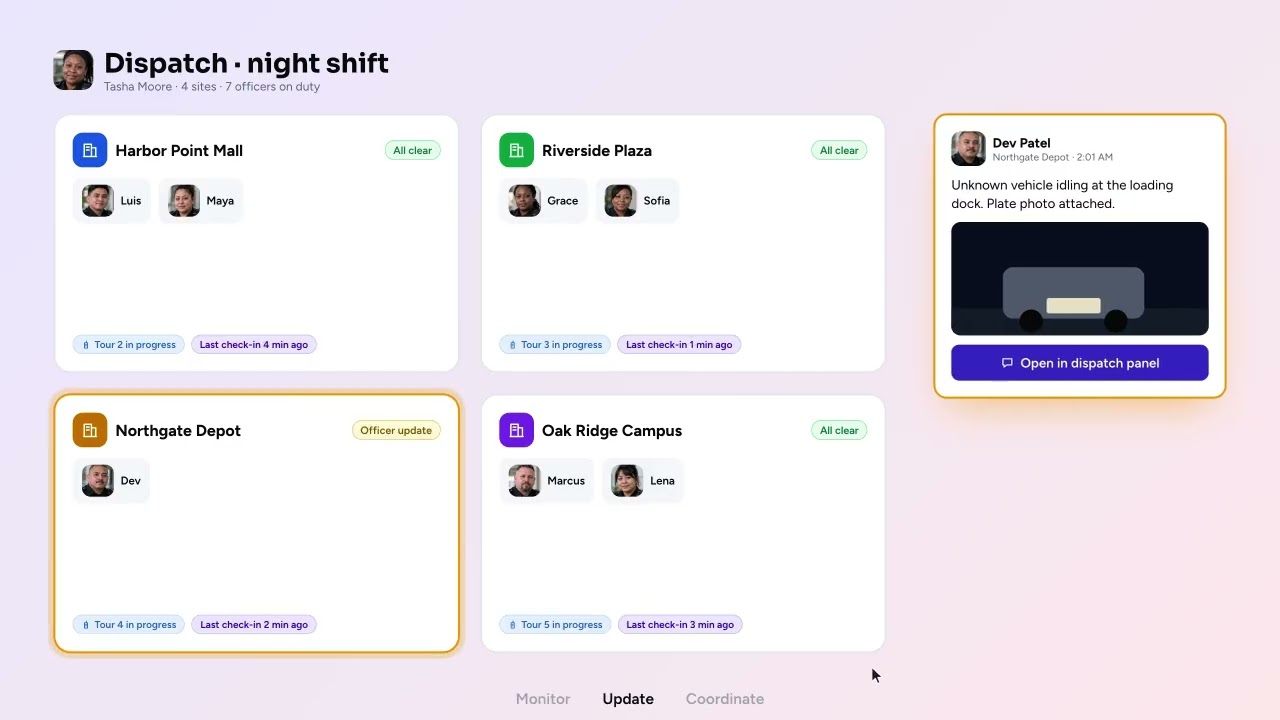
When a guard calls in, Reported By lists the guards on that post site. Live Tracking in the web app shows clocked-in guards with geofence status, last update and battery, and Atlas can name the closest free guards.
Connected response updates
Tickets move through Pending, In Progress and Solved, and solving one needs a closure comment. The Comments tab holds replies and files, and assigned officers are told when a ticket is closed or reopened.
Reporting for management review
Filter tickets by post site, caller type, priority, status or date, then export to PDF or Excel, print, or send an Email Report. Open dispatches and a daily or weekly dispatch chart also show on the dashboard.
Turn a call into a task
Convert as Task creates a task from the ticket with assignees, a due date, subtasks and an optional repeat. The ticket and the task keep their statuses in step, so closing one closes the other.
Atlas drafts tickets from calls
Type or speak a call note to Atlas in the web app, and it matches the site, incident type and guards to your records, asking when something is unclear. Nothing is created until you press Approve on its card.
01 / 04
Call and incident context
New Dispatch records the client, post site, caller type, who reported it, priority, incident type, date and time, details, action taken, notes and attachments. Each ticket gets an ID number you can search for or share as a link.
02 / 04
Officer and location visibility
When a guard calls in, Reported By lists the guards on that post site. Live Tracking in the web app shows clocked-in guards with geofence status, last update and battery, and Atlas can name the closest free guards.
03 / 04
Connected response updates
Tickets move through Pending, In Progress and Solved, and solving one needs a closure comment. The Comments tab holds replies and files, and assigned officers are told when a ticket is closed or reopened.
04 / 04
Reporting for management review
Filter tickets by post site, caller type, priority, status or date, then export to PDF or Excel, print, or send an Email Report. Open dispatches and a daily or weekly dispatch chart also show on the dashboard.
Harbor Point lobbyIncoming call · 10:02 PM
Alarm · Building B2 prior alerts tonightPost orders: call supervisor
K. Brooks · 0.4 miSofia Reyes · 1.1 miDev Patel · 1.6 miBuilding B
Atlas, the dispatch agent in the web app, turns a call note you type or speak into a draft dispatch ticket. It matches the post site, incident type and guards to your records and asks when something is unclear. It can also propose one free guard for an open shift, nearest first. Nothing is created or assigned until you press Approve, and Atlas needs the company's AI subscription.
Example · a practical example
A property manager calls about a door left open at a post site. The dispatcher tells Atlas what the caller said, checks the ticket card it fills in, and presses Approve to create the dispatch.
Dispatch Coordination
Who uses it, and where.
Dispatch runs from the Dispatcher page in the web app, with officers and clients joining the same ticket from their own apps.
Dispatchers
The default Dispatch Operator role logs and edits tickets, changes status, adds comments, converts tickets to tasks and exports them on the Dispatcher page in the web app.
Admins and managers
Work the same Dispatcher page, watch open dispatches on the dashboard, and ask Atlas to draft a ticket from a call or find a free guard for an open shift.
Officers
See tickets assigned to them under Tickets in the Guardix phone app, tap Arrive on Site, add comments and photos, and close the ticket when the job is done.
Clients
Raise a ticket for one of their post sites from the client portal on the web or the phone, and follow its status and comments.
How it works
How it works
1
Log the call.
Open New Dispatch, pick the client and post site, set caller type, priority and incident type, and describe what happened.
2
Get people moving.
Check Live Tracking for guards on or near the site, and convert the ticket to a task for the officers who should respond.
3
Track every update.
Move the ticket to In Progress, add comments and files as officers report back, and mark it solved with a closure comment.
4
Review and report.
Filter past tickets, export them to PDF or Excel, or email a report to a manager or client.
FAQ
Frequently asked questions
Can a client report an issue directly?
Yes. Client portal users can create a ticket for their own post sites from the web portal or the phone app. The office sees it on the Dispatcher page, and the client can follow its status and comments without seeing tickets from other clients.
Does Atlas assign officers or create tickets on its own?
No. Atlas, the dispatch agent in the web app, drafts one ticket from a call note or proposes one free guard for an open shift. It saves a card, and nothing is created, assigned or sent until the person who asked presses Approve.
Who can see dispatch tickets?
Staff roles with dispatcher access see tickets in the web app, and a role limited to selected sites sees only those sites' tickets. Officers see only the tickets assigned to them, on the phone. Clients see tickets for their own post sites in the client portal.
How does a dispatcher find the closest guard?
Live Tracking shows each clocked-in guard on a map with geofence status and last update. Atlas can also list off-duty guards who live closest to a site, and when it looks for cover for an open shift it ranks free guards by distance, using recent live GPS first.
What is security guard dispatch software?
Security guard dispatch software turns a call or report into a ticket and follows it until it is solved. In Guardix, dispatchers log numbered tickets tied to a client and post site, with priority, incident type and details. Assigned officers work them from the phone, tickets move through Pending, In Progress and Solved, and Atlas, the dispatch agent, can draft a ticket from a call note for approval.
What software enables location-aware security dispatching?
Guardix dispatch ties every ticket to a client and post site and shows where guards are. Live Tracking in the web app shows clocked-in guards with geofence status, last update and battery, and when a guard calls in, Reported By lists the guards on that post site. Atlas, the dispatch agent, can name the closest free guards and draft the ticket, and nothing is created until a person approves it.
Next step
Keep the response connected from start to review.
See how Guardix brings dispatch information, AI assistance, and officer coordination into the same operational record.