Guides
Guard tour systems: NFC tags vs QR codes vs GPS checkpoints
How NFC tags, QR codes and GPS checkpoints compare for guard tours, which fits each kind of site, and a free checklist for setting up a patrol route.
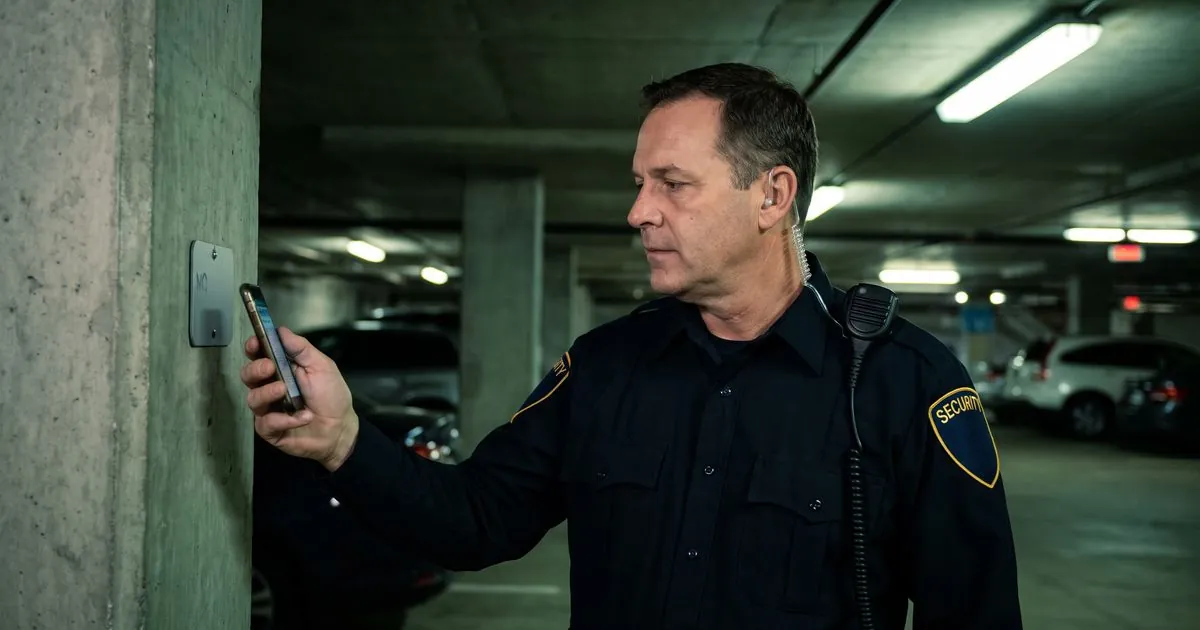
A guard tour system proves that an officer walked the patrol route and reached each checkpoint at a recorded time. NFC tags give the strongest proof at indoor posts, QR codes are the quickest to set up, and GPS checkpoints suit open ground where nothing can be mounted, so many companies use a mix.
This guide explains what each type proves, where each one fails, and how to choose for your sites. It ends with a free checklist you can use to set up your next tour.
What does a guard tour system prove?#
A patrol that leaves no record is hard to prove. If a client asks whether the back fence was checked at 2 a.m., "the officer said so" is a weak answer.
A guard tour system answers that question with a record. Each checkpoint is a fixed point on the route. The officer scans it, and the system saves who scanned it, where and when. Put together, the scans show:
- That the patrol happened, and roughly how long it took.
- That the officer reached the places that matter, such as a fire exit, a loading dock or a roof door.
- What the officer found there, when the checkpoint asks for a photo or a short answer.
- What was missed, so a supervisor can follow up before the client notices.
The record is only as good as the checkpoint behind it. That is where the three types differ.
How do NFC tags, QR codes and GPS checkpoints work?#
NFC tags#
An NFC tag is a small sticker or disc with a chip inside. The officer holds the phone close to it, and the phone reads the tag's unique code. The tag needs no power and no signal of its own.
Because the officer has to be within a few inches of the tag, a scan is strong proof that someone stood at that exact spot. Tags can be mounted inside a cover or behind a plate, so they are hard to remove or copy. The trade-off is setup: someone has to buy, program and fix each tag, and replace any that go missing.
QR codes#
A QR code is a printed square the officer scans with the phone's camera. You can print codes on a label printer or an office printer, laminate them and stick them up the same day.
QR codes are quick and easy to replace. Their weakness is that a printed code can be photographed and scanned later from somewhere else. Mounting codes in places that are hard to reach, using weatherproof labels outdoors, and asking for a photo at key checkpoints all make that harder.
GPS checkpoints#
A GPS checkpoint is a point on a map with a circle around it. Instead of scanning anything, the officer's phone records that it was inside the circle.
Nothing has to be mounted, so GPS checkpoints suit open ground: a parking lot, a fence line or a construction site where tags would be damaged or stolen. But phone location can drift, especially near tall buildings and indoors, so a GPS point proves the officer was near a spot, not at it.
How do the three compare?#
| NFC tags | QR codes | GPS checkpoints | |
|---|---|---|---|
| What a scan proves | The officer stood at the tag | The officer had the code in front of the camera | The phone was inside the circle |
| Setup | Buy, program and mount each tag | Print, laminate and mount | Draw points on a map |
| Indoors | Works well | Works well | Often unreliable |
| Outdoors | Works if mounted in a cover | Needs weatherproof labels | Works best in open areas |
| How easy to fake | Hard | A photo of the code can be scanned | Location can drift or be spoofed |
| Replacing a damaged one | Program and mount a new tag | Print a new code | Nothing to replace |
| Officer's phone needs | An NFC reader | A camera | Location turned on |
No type wins everywhere. The right choice depends on what the client needs proved at each spot.
Which checkpoint type fits your site?#
Start with the site, not the technology. Walk it with the post orders in hand and ask what must be proved at each point.
- Office buildings, hospitals and schools. Most checkpoints are indoors, where location is unreliable. Use NFC tags at doors, stairwells and plant rooms, and QR codes where a tag would be awkward to mount.
- Warehouses and distribution centers. Use NFC tags at loading docks, fire exits and high-value areas. QR codes work well for low-risk checks such as a break room or a lights-off walk.
- Parking lots and open yards. There is often nothing to mount a tag on. Weatherproof QR codes on light posts work, and GPS checkpoints can cover the open middle of the lot.
- Construction sites. The layout changes every few weeks. QR codes are easy to move, and GPS points cover areas where nothing stays in place.
- Mixed sites. Combine them. A common setup is NFC tags inside the building and QR codes outside it.
Whatever you choose, check the officers' phones. Any phone with a camera can scan a QR code, but some older or basic phones have no NFC reader.
Where should checkpoints go?#
Put checkpoints where a problem would cost the client the most, not where they are easy to mount.
- Entry points first. Doors, gates, roller shutters and roof access.
- Safety points next. Fire exits, fire panels, sprinkler valves and electrical rooms.
- Valuable areas. Stock rooms, server rooms, vehicle lots.
- The far end of the route. A checkpoint at the farthest corner proves the officer did not cut the patrol short.
Then plan the route. Number the checkpoints in walking order, so a missed one stands out. Keep each tour short enough to finish in the time allowed, and set how often it runs: once per shift, every hour, or at set times the client cares about.
Finally, give each checkpoint a job. "Scan and move on" proves presence. "Scan, check the door is locked, and take a photo if it is not" proves the work.
What should happen when a checkpoint is missed?#
A missed checkpoint is not always a failure. The officer may have been dealing with an incident, or the area may have been blocked. What matters is that it is explained and handled.
- The officer notes why. A blocked door, a locked gate or an incident in progress.
- The supervisor reviews missed checkpoints every day. Look for patterns: the same checkpoint, the same officer, the same time of night.
- Fix the cause. Move a checkpoint that is always blocked, replace a damaged tag, or adjust a route that cannot be finished in time.
- Tell the client before they ask. A short note about a missed checkpoint and what was done about it builds more trust than a perfect-looking report.
If something was found during the patrol, it belongs in an incident report too. Our incident report template shows what to include.
Free checklist: set up a guard tour#
Copy this into a document or your tour planning notes. Go through it for every site before the first patrol.
GUARD TOUR SETUP CHECKLIST

Site: ______________________   Prepared by: ______________
Date: ______________

1. WALK THE SITE
   [ ] Walked with the post orders and the client contact
   [ ] Listed every entry point, safety point and valuable area
   [ ] Marked the far end of each route

2. CHOOSE CHECKPOINT TYPES
   [ ] Indoor points: NFC tag or QR code
   [ ] Outdoor points: QR code in a weatherproof label, or GPS
   [ ] Checked that every officer's phone can scan them

3. INSTALL AND TEST
   [ ] Each checkpoint named clearly (e.g. "Dock door 2")
   [ ] Mounted where it is hard to remove or photograph
   [ ] Every checkpoint scanned once as a test

4. SET THE RULES
   [ ] Checkpoints numbered in walking order
   [ ] How often the tour runs, and how long it may take
   [ ] What the officer checks or photographs at each point
   [ ] What to do when a checkpoint cannot be reached

5. FOLLOW UP
   [ ] Supervisor reviews missed checkpoints every day
   [ ] Client sees tour results (report or portal)
   [ ] Route reviewed again after the first month
How Guardix helps with guard tours#
Guardix runs tours from the officer's phone in the mobile app. Here is what it does today:
- All three kinds of checkpoint. Each checkpoint belongs to a post site and is an NFC tag, a QR code or a GPS point. In the manager app, managers write, register and lock NFC tags, add QR codes, or add a GPS checkpoint where they stand, with a radius of 25, 50 or 100 meters. In the web app, managers can type a GPS point's coordinates and radius, and download the QR codes.
- Scans that must match. Officers scan with the phone's camera or NFC reader, and a QR code or tag that does not match the checkpoint is rejected.
- GPS check-in, checked twice. At a GPS checkpoint the officer taps to check in. The app takes a fresh location reading and refuses it when it is not precise enough (worse than 50 meters), more than five minutes old, marked by the phone as a mock location, or outside the radius. Then the server measures the distance again, and records nothing if the check fails. A GPS check-in needs a data connection at that moment.
- An optional geofence on NFC and QR checkpoints. When the phone is clearly outside the area, the app blocks the scan.
- Work at each checkpoint. A checkpoint can have instructions, required photos and its own questions for the officer.
- Tours on a schedule. A tour can run on chosen days at set start times with a time limit, or repeat every half hour, hour or two hours during the shift. Officers get reminders when a tour window opens and before it closes.
- Missed checkpoints on record. Before an officer ends a tour, the app lists the checkpoints not yet scanned, and the skipped checkpoints are recorded. Managers can filter tours by ongoing, completed and missed.
- Clients can see it. In the client portal, clients see tours and checkpoint logs, and can be notified when a tour is completed or when a tour window passes without one.
See more on the tours and patrols page.
Frequently asked questions#
Is NFC better than QR codes for guard tours?#
NFC gives stronger proof, because the officer has to be within a few inches of the tag and a tag is hard to copy. QR codes are faster to set up and replace. Many sites use NFC at high-risk points and QR codes everywhere else.
Can officers fake a QR code scan?#
A printed code can be photographed and scanned later, so it is weaker proof than an NFC tag. Mount codes where they are hard to reach, and ask for a photo at the checkpoints that matter most.
Do guard tour checkpoints need internet or power?#
NFC tags and QR codes need no power or signal of their own. Whether the phone needs a signal at the moment of the scan depends on the app, so ask how it handles weak signal before you choose one. In Guardix, a GPS check-in needs a data connection, because the server checks the location before it records the check-in.
Can a GPS checkpoint be faked?#
A phone's location can drift, and it can be faked. Guardix refuses imprecise, old and mock locations and checks the distance again on the server, but no server can see past a phone that reports false coordinates. Use NFC tags where the proof matters most.
How many checkpoints should a patrol have?#
Enough to cover every entry point, safety point and valuable area, and few enough that the officer can finish the tour in the time allowed. Start small, review missed checkpoints after a few weeks, and adjust.
Want to see guard tours, checkpoints and missed-checkpoint reports in action? Book a demo and bring a floor plan of one of your sites.