Industry Knowledge
Security guard daily activity report: what to log and how to review it
A daily activity report shows the client what happened on every shift. Here is what officers should log, how to write entries, and how managers review them.
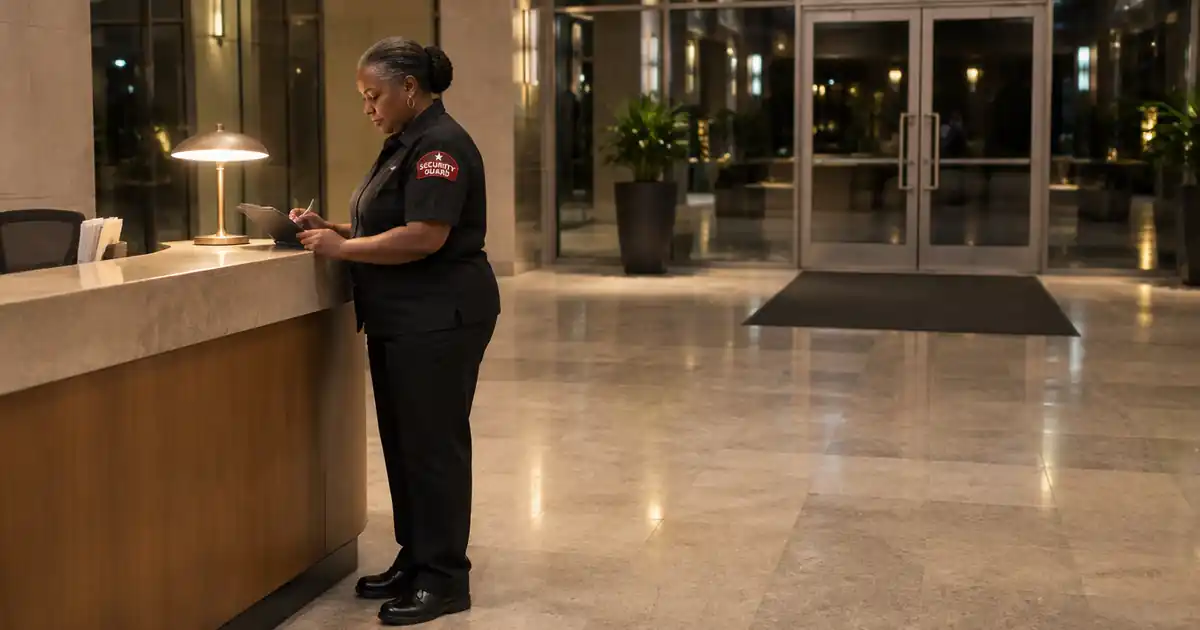
A daily activity report (DAR) is the officer's running record of a shift: when it started, what the officer checked, what happened and how the post was handed over. For a guard company it is also the main proof the client sees that the post was covered. This guide explains what to put in a DAR, how officers should write each entry and how managers can review reports before they reach the client.
Key points#
- A daily activity report is a timed log of one officer's shift at one site, from clock-in to handover.
- Each entry should answer when, where, what the officer saw and what the officer did, in plain words.
- Routine entries matter as much as incidents, because they show the client the post was watched the whole shift.
- Anything serious belongs in a separate incident report, with the DAR noting the time and pointing to it.
- A manager should read and approve reports on a set routine, before the client sees them.
What a daily activity report is for#
The DAR has three readers. The client wants to know the post was staffed and the site was checked. Your supervisors want to know what the next shift needs to watch. And if something goes wrong months later, an attorney, an insurer or a police detective may read it to learn what the officer saw and when.
A report written as the shift goes, with specific times and places, is far more believable than a page filled in at the end of the night from memory.
What to include in every DAR#
Set one standard for every site, then add the site's own items from its post orders. A good DAR has:
- The header: the site, the post, the date, the officer's name and the scheduled and actual shift times.
- The start of the shift: the time on post, what the outgoing officer passed down, keys and equipment received, and anything already open.
- Patrols and checks: each round or check, with the time and the area covered, such as doors, gates, parking, loading docks or alarm panels.
- Activity at the post: visitors, deliveries, contractors, alarms, calls from the client and requests the officer handled.
- Observations: hazards, broken lights, propped doors, leaks, damaged fencing or anything out of the ordinary, even when the officer fixed it.
- Incidents: a short note with the time and a reference to the full incident report.
- The end of the shift: what was handed over, to whom, and what is still open for the next officer.
Leave out opinions about people, guesses about why something happened and remarks about the client's staff.
How officers should write each entry#
Train officers on a simple pattern: time, place, what I saw, what I did. A good entry names the area checked, the problem found, the action taken and who was told. Each sentence is short, in the first person and in the order things happened.
A few habits make the difference:
- Write during the shift, right after each check, not at the end.
- Use real times, not rounded ones. A log where every round happens at the exact top of the hour invites doubt.
- Be specific about places. Name the stairwell and the floor, not just the building.
- Record the normal rounds too. A line saying the doors were found secure proves the check happened.
- Add photos of damage, hazards and anything the client will ask about.
- Never change an entry later without noting it. If something was wrong, add a corrected entry with the time you corrected it.
Give new officers a sample DAR from a real site, with names removed, and walk through it during onboarding.
DAR or incident report#
Officers often ask where one ends and the other begins. A simple rule helps: the DAR covers everything that happened on the shift, and an incident report covers one event that may need follow-up, such as a trespasser, an injury, damage, a police call or a use of force.
When an incident happens, the officer writes a short line in the DAR with the time and a note that an incident report was filed. The full details, witnesses and photos go in the incident report. That keeps the DAR readable and puts the facts of the incident in one place.
Your post orders and your contract should say which events always need an incident report and who must be told right away. If an event may carry legal consequences, have officers stick to facts and ask an attorney about your reporting obligations.
How managers review daily activity reports#
A DAR nobody reads is a risk. If a report mentions a broken gate and nobody acts on it, that report can be used against you later. Build a review routine:
- Read every DAR from the last shift before the client does, or at least before the next business day.
- Look for open items: hazards, repairs, client requests and anything passed to the next shift.
- Check the pattern of checks. Missing rounds, long gaps and identical entries night after night are signs to talk with the officer.
- Send back reports that are unclear and ask the officer to add details, with a note of what was added.
- Act on what the report says. Tell the client about repairs, update post orders and coach the officer.
Agree with each client on which reports they get and how often, and put it in the contract.
Paper or software#
Paper DARs and shared spreadsheets work at a small scale, but they are easy to lose, hard to read and slow to reach the client. A report app on the officer's phone makes it easier to write entries during the shift and to send them the moment they are done.
In Guardix, companies build their own report forms and choose which sites use each one. Officers file reports in the mobile app while they are clocked in, with photos stamped with the date, time and GPS position. Report templates such as hourly reports remind officers to file and alert officers and managers when a report is missed. Managers can approve or reject reports and export them as a PDF, and an automated client report email can go out daily, weekly or monthly. Clients can also read reports in the client portal.
Frequently asked questions#
What is a daily activity report in security?#
A daily activity report is a security officer's timed log of one shift at one site. It records the start of the shift, each patrol and check, visitors, observations, incidents and the handover, so the client and the company know what happened and when.
What should a security guard write in a daily activity report?#
Each entry should give the time, the place, what the officer saw and what the officer did, in short first-person sentences. Include routine checks as well as problems, and point to a separate incident report for any serious event.
How is a daily activity report different from an incident report?#
The daily activity report covers the whole shift. An incident report covers one event that may need follow-up, such as an injury, damage, a trespasser or a police call. The DAR notes the time of the incident and that a full report was filed.
Who should review security daily activity reports?#
A supervisor or account manager should read each report soon after the shift, look for open items, send back unclear entries and act on what the report says. Reviewing reports before the client reads them catches mistakes and missed follow-ups.
- Reports
- Operations
- Client service