Remote access over 5G
Connect the camera to your Guardix deployment over 5G. Authorized managers can access the live view remotely while the supported connection is available.
Guardix 5G Connected Body Camera
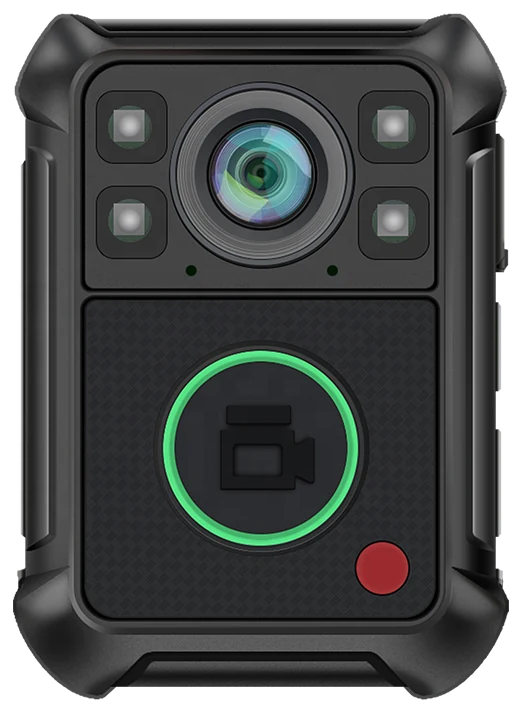
Bring the officer’s view into your security operation. The Guardix connected body camera combines field recording with 5G connectivity and remote access through the Guardix platform—giving authorized management a live view of the scene when the connected service is active.
When an officer reports an issue, visual context helps management understand the update. Access the camera over the air through Guardix and view the live scene remotely, with the connectivity and account access configured for your operation.
Support the officer from the office or another connected location. Give the supervisor information for the next instruction, escalation, or follow-up.
See the Guardix ConnectionConnect the camera to your Guardix deployment over 5G. Authorized managers can access the live view remotely while the supported connection is available.
See the situation from the officer's perspective. Use that view alongside the officer's communication and your post procedures when directing the next action.
Provide camera access to the people authorized for your deployment. Keep the viewing responsibility aligned with the team overseeing the assignment.
Guardix already brings your people, sites, schedules, dispatch, and reports into one operating platform. Connected camera access adds a visual perspective to that work.
A supervisor can review the live scene, refer to the site’s instructions, and coordinate the next step through the team’s established workflow. Management gets more context for the decision, and the officer has a connected team behind the assignment.
On the officer. Accessible to authorized management. Connected through Guardix.
Record at up to 1440p resolution to capture the scene for later review. Give supervisors a visual reference when checking the officer’s account of an event.
Support recording in low-light conditions around the areas your team serves—from parking patrols to after-hours property checks.
0hrs
A 3,900 mAh battery supports up to 16 hours of recording under the conditions represented in the supplied product materials. Approximate charging time is 3.5 hours.*
Electronic image stabilization helps reduce camera shake during movement, supporting a steadier record of the officer’s view.
IP68
An IP68-rated design provides water and dust resistance, with a stated 2-meter drop-resistance specification. Put a camera designed for field use into the officer’s equipment setup.
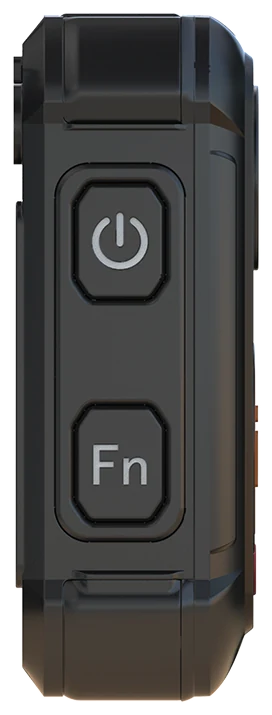
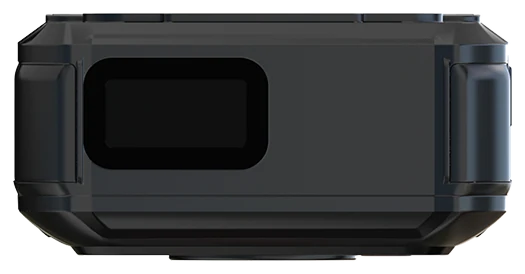
A prominent front recording control and compact top status display keep the device layout straightforward. An optional quick-attachment mounting system supports your uniform setup.
Add the camera’s GPS, Wi-Fi, and AES encryption capabilities to the specification review for your deployment. Align the supported functions with your recording and connectivity requirements.
Use the visual account to support your review of the event, then record the relevant observations in Guardix. AI report refinement helps improve the wording, grammar, and structure of those written facts.
Officers and supervisors check the account against the evidence before sharing it. Give the next reader a clear report grounded in what the team recorded and reviewed.
Set the camera's Guardix connection, active connectivity service, authorized users, and officer operating instructions.
The officer follows the recording procedure. Management accesses the live view remotely when the connected service is available.
Use the visual context to support the response, review the factual account, and document the required follow-up in Guardix.
Give management visual context when an officer reports a site concern.
Support review of the officer's observations during assigned property visits.
Connect field visibility with the supervisors responsible for the service.
Bring a live perspective into the team's coordination when the connected camera service is active.
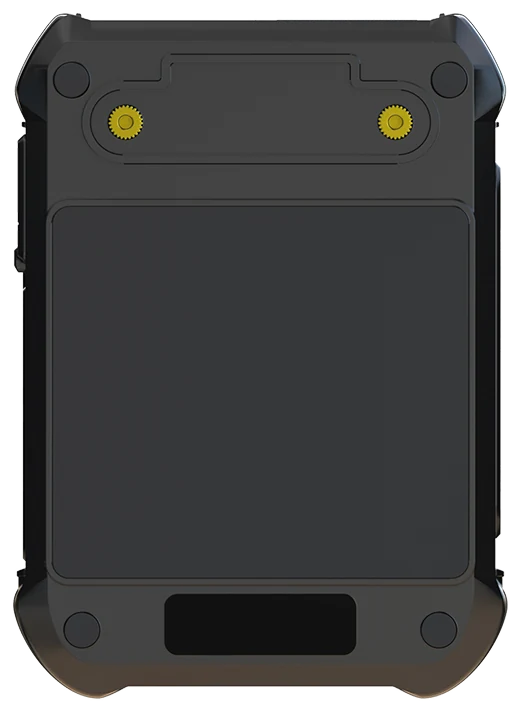
*Hardware figures reflect the supplied product materials. Actual recording and charging performance varies with settings, conditions, and connected use. The recording-duration figure is not a stated continuous 5G streaming runtime. Live viewing requires a compatible connected configuration, active service, and network coverage; stream quality depends on the deployment and connection.
Yes. The connected Guardix deployment provides authorized management access over the air using the supported 5G connection. Managers can view the live scene while the camera and service are connected.
Yes. The offering connects camera access with Guardix, giving the authorized team a visual perspective within the platform used for security operations.
The supplied camera specification includes night vision for low-light recording. Review the expected conditions and mounting position for the assignments you plan to cover.
After reviewing the event and writing the relevant observations in Guardix, officers can use enabled AI report refinement to improve the written account. The officer or reviewer checks the facts and supporting evidence before sharing the report.
See the actual 5G-connected camera, its live view in Guardix, authorized management access, and the recording workflow. Discuss the connectivity service, site coverage, camera configuration, and equipment required for your deployment.
Give officers a connected recording tool and give management the visual context to support them. See how the Guardix body camera fits your sites, your team, and your operating procedures.